
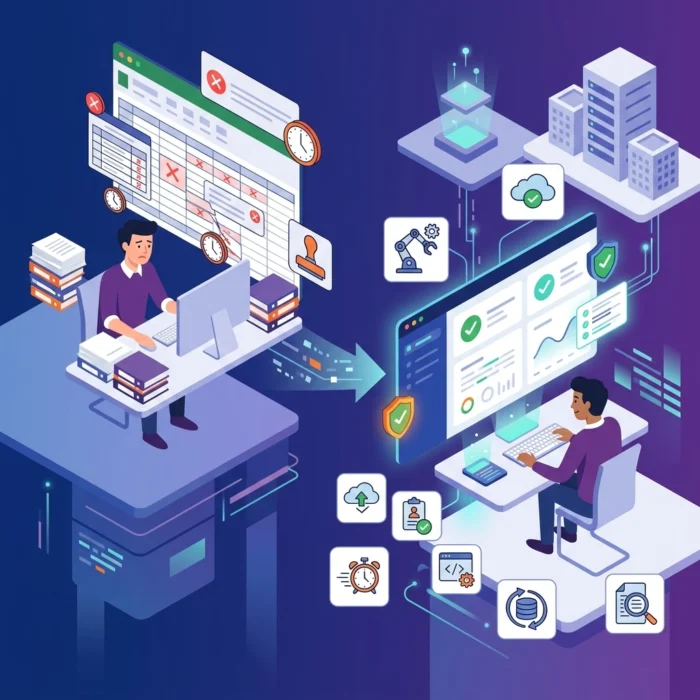
Let’s be honest: nobody actually likes audit season. If you are still relying on a massive, color-coded Excel spreadsheet to track who has admin rights to your servers, you aren’t just "old school": you are at risk. Manual spreadsheets are where data goes to die. They are static, prone to human error, and they are outdated the second you hit "Save."
In the world of cybersecurity, specifically when dealing with Privileged Access Management (PAM), staying compliant with NIST, ISO 27001, or SOx requires more than a best-guess list of users. It requires a living, breathing view of your environment. We have seen too many teams waste hundreds of man-hours every quarter trying to reconcile manual logs with reality.
If you want to survive your next audit without the headache, it is time to move toward an automated privileged access audit. Here are seven hacks to help you ditch the spreadsheets and secure your infrastructure.
1. Eliminate the "Snapshot" Mentality with Continuous Discovery
The biggest flaw in manual audits is that they are "point-in-time" snapshots. You check your access on Monday, but by Wednesday, a developer has been granted temporary root access that never got revoked. Your spreadsheet says you are compliant; your environment says otherwise.
We recommend implementing continuous discovery tools. Instead of manually asking department heads for a list of users, automated systems scan your directory services, cloud environments, and local databases in real-time. This ensures that your NIST compliance privileged access reporting is based on what is actually happening right now, not what happened three months ago.
2. Automate Gap Analysis Mapping to Frameworks
Auditors don't just want to see a list of accounts; they want to see how those accounts map to specific regulatory controls. If you are preparing for a SOx or ISO audit, you need to prove that "Least Privilege" is being enforced.
Instead of manually cross-referencing your user list against NIST SP 800-53 controls, use a dashboard that does the mapping for you. Automation can categorize your current access state directly against the requirements of the framework you’re targeting.

As shown above, a centralized gap analysis dashboard allows us to see exactly where we stand with NIST or SOx requirements. It identifies critical risks and provides recommendations for remediation, turning a complex regulatory hurdle into a checklist of actionable tasks.
3. Real-Time Reconciliation of "Shadow" Accounts
One of the most dangerous things in any enterprise environment is the "orphan" account: a privileged identity that exists on a server but isn't managed by your PAM tool. In a manual spreadsheet world, these are almost impossible to find because you only track what you already know about.
An automated privileged access audit hack is to use reconciliation workflows. These workflows compare the accounts managed in your vault against the accounts actually existing on the target systems. If a new local admin account is created on a Linux box and isn't in your official registry, the system flags it immediately.

By using a reconciliation dashboard, we can identify "shadow privileges" before an auditor does. This view highlights accounts not linked to a PAM system, allowing us to see exactly which identities are flying under the radar.
4. Implement Just-In-Time (JIT) Provisioning
If an account doesn't have privileges, it doesn't need to be audited. This is the ultimate "hack" for reducing audit scope. Manual auditing often involves reviewing hundreds of "standing privileges": accounts that have admin rights 24/7.
By moving to a Just-In-Time (JIT) model, users are granted elevated permissions only when they need them, and those permissions expire automatically after a set period. Automation handles the grant and the revocation. When the auditor asks for the list of privileged users, your list is significantly shorter because most users only have access during active sessions. This drastically simplifies NIST compliance privileged access workflows.
5. Use AI-Driven Anomaly Detection to Filter the Noise
Manual log review is a soul-crushing task. Expecting a human to spot a malicious login attempt hidden among 10,000 lines of standard admin activity is unrealistic.
We suggest leveraging behavioral analytics to automate the "review" portion of your audit. Instead of looking at every log, your system should only flag the outliers: like an admin logging in at 3:00 AM from a new IP address or executing a series of commands they’ve never used before. This turns a week-long manual review into a five-minute check of high-risk alerts.
6. One-Click Evidence Gathering for SOx and ISO
The most stressful part of an audit is the "evidence request." An auditor asks for proof that all terminated employees had their access revoked within 24 hours. In a manual environment, this involves hunting through HR logs, then AD logs, then PAM logs, and trying to stitch them together.
With an automated approach, you can generate these reports with one click. By integrating your IAM (Identity and Access Management) systems with your PAM tool, you can create a unified trail that shows the entire lifecycle of an identity.

When you can provide a timestamped report showing an employee was offboarded in HR and their privileged access was automatically killed sixty seconds later, auditors tend to move on very quickly. They love seeing automated, repeatable processes.
7. Centralized Risk Reporting and KRI Tracking
Finally, stop looking at your security posture through twenty different windows. To maintain high-level compliance, we need to track Key Risk Indicators (KRIs) over time. This includes metrics like:
- Percentage of accounts not managed by a PAM tool.
- Number of inactive privileged identities.
- Systems that haven't been scanned for new accounts in over 30 days.

A centralized dashboard provides real-time visibility into these risks. It allows us to see trends: are we getting better at managing our privileged accounts, or are we slipping? This level of transparency is exactly what is required for modern enterprise security and provides a robust foundation for any automated privileged access audit.
Why Automation is No Longer Optional
The scale of modern infrastructure: hybrid clouds, thousands of microservices, and remote workforces: has made manual spreadsheets obsolete. You cannot secure what you cannot see, and you cannot see everything if you are relying on manual data entry.
By automating your privileged access audits, you aren't just making life easier for your IT team; you are significantly lowering your organization's risk profile. Automated systems don't get tired, they don't overlook "that one server in the corner," and they don't forget to revoke access when a project ends.
At OrbisID, we focus on helping organizations navigate these complexities by providing the visibility and control needed for stringent regulatory environments. Whether you are tackling NIST, ISO, or SOx, the goal remains the same: move from a reactive, manual state to a proactive, automated one.
Next Steps for Your Team
- Audit your current process: How many hours are spent on spreadsheets each month?
- Identify the Gaps: Use tools to find your "shadow privileges" and unmanaged accounts.
- Explore our resources: Check out our technical documentation to see how automated reconciliation works.
- Try it out: You can download our latest tools to start automating your discovery process today.
Stop fighting with Excel. Start securing your identities. For more information on how we can help you streamline your compliance journey, visit us at OrbisID.