
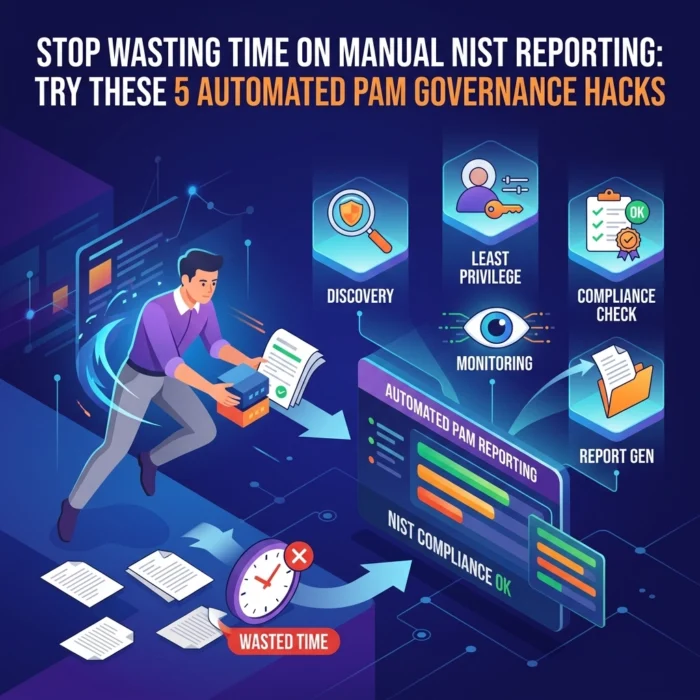
Let’s be honest: nobody gets into cybersecurity because they love filling out spreadsheets or chasing down system owners for "proof" of password rotation. Yet, if you’re operating under NIST (National Institute of Standards and Technology) frameworks, that’s exactly where a huge chunk of your time goes.
Whether you are aiming for NIST 800-53 compliance or aligning with the NIST Cybersecurity Framework (CSF), the burden of proof is heavy. Manual reporting is not just a time-sink; it is a massive risk. Spreadsheets are static, humans make mistakes, and by the time you’ve finished your quarterly audit report, the data is already out of date.
At OrbisID, we believe your Privileged Access Management (PAM) platform should do the heavy lifting for you. If you are still taking screenshots of admin panels to prove compliance, you’re working harder, not smarter.
Here are 5 automated PAM governance hacks to turn your NIST reporting from a manual nightmare into a push-button reality.
1. Auto-Discover Privileged Accounts and Map Them Directly to NIST Controls
The first question any auditor asks is: "Do you have a complete inventory of privileged accounts?" If your answer involves a manual export from Active Directory (AD) that you then have to cross-reference with cloud IAM and local server accounts, you’ve already lost the battle against time.
The Hack: Use your PAM’s automated discovery and classification features to build a live inventory. Instead of just finding accounts, you should tag them with NIST control mappings.
What to Automate:
- Continuous Discovery: Set up scans for local admin accounts, elevated AD groups, service accounts, and cloud provider roles (AWS IAM, Azure RBAC).
- Smart Tagging: Automatically group accounts by system type, environment (production vs. development), and business unit.
- Control Mapping: Tag these groups with specific NIST control IDs, such as AC-2 (Account Management) or AC-6 (Least Privilege).

How it helps NIST reporting:
When the audit looms, you don’t scramble. You pull an instant report showing every privileged account in scope for NIST 800-53 AC-2. You can prove, in real-time, which accounts are managed, who owns them, and when they were last active. This transforms your asset management from a guessing game into a clinical, defensible data set.
2. Turn Password Vaulting and Rotation into "Push-Button" Evidence
NIST expects you to prove that admin passwords are complex, rotated frequently, and: crucially: not shared. Providing evidence for this manually usually involves showing policy configurations and then sampling accounts to prove the policy was actually applied.
The Hack: Treat your PAM vault’s rotation logs as your primary evidence pack. By enforcing rotation through the tool, the tool itself becomes the auditor's source of truth.
What to Automate:
- Enforced Complexity: Centralize password policies within the PAM tool so they cannot be bypassed.
- Event-Driven Rotation: Automate rotation not just on a schedule (e.g., every 30 days), but also after every use (one-time passwords) or immediately after a vendor’s access window closes.
- Historical Logs: Maintain a tamper-proof history of every rotation event.
How it helps NIST reporting:
This directly supports NIST 800-53 IA-5 (Authenticator Management). Instead of explaining your policy, you show a report of the last 1,000 successful rotations. We recommend focusing on your Domain Admins and high-risk service accounts first. Once these are automated, you’ve effectively neutralized one of the most tedious parts of an audit.
For more technical specifications on how to configure these automated workflows, you can explore the OrbisID documentation.
3. Use Just-in-Time (JIT) Access to Eliminate "Standing Privileges"
Standing privileges: accounts that have admin rights 24/7: are a major red flag for NIST auditors. NIST 800-53 AC-6 (Least Privilege) and AC-17 (Remote Access) emphasize that users should only have the privileges they need, exactly when they need them.
The Hack: Replace permanent administrative roles with Just-in-Time (JIT) elevation workflows. When a user needs access, they request it; the PAM tool grants it temporarily and then revokes it automatically.
What to Automate:
- Workflow Integration: Link access requests to your ITSM (like Jira or ServiceNow). If there isn’t an open ticket, the PAM tool doesn’t grant the access.
- Time-Bound Windows: Set a hard limit (e.g., 2 hours) after which the PAM tool automatically pulls the user out of the privileged group.
- Zero Standing Access: Move toward a model where your "Domain Admins" group is empty until a verified request is made.

How it helps NIST reporting:
Auditors love JIT because it provides an airtight audit trail. You can show logs that state: "User A requested access for Task B at 10:00 AM, it was approved by Manager C, and access was automatically revoked at 12:00 PM." This is the gold standard for proving least privilege.
4. Transform Session Monitoring into an AU / IR Reporting Engine
NIST requires demonstrable monitoring of privileged activity. This covers AU-2 (Audit Events), AU-6 (Audit Review), and IR-4 (Incident Handling). If you are manually digging through event logs on individual servers to find out what an admin did last Tuesday, you are wasting valuable hours.
The Hack: Enable full session recording (RDP, SSH, Database) and behavioral analytics, then pipe that data into your SIEM with pre-built NIST dashboards.
What to Automate:
- Keystroke Logging: Capture every command executed during a privileged session.
- Anomaly Detection: Set up alerts for "unusual commands" or "lateral movement" attempts.
- Automated Tagging: Tag sessions involving sensitive data (PII, CUI) so they can be filtered easily during an audit.

How it helps NIST reporting:
When an auditor asks how you detect unauthorized changes, you don’t point to a pile of logs. You show them a dashboard of "High-Risk Privileged Sessions" and the associated playback videos. By integrating this with your incident response playbooks, every alert handled becomes a piece of NIST-aligned documentation automatically.
5. Run Automated Access Reviews and Certifications
Quarterly access reviews are often the bane of a manager's existence. The security team exports a list of users to a spreadsheet, emails it to a manager, waits three weeks for a "looks fine" response, and then manually updates the system. This is prone to error and incredibly slow.
The Hack: Use your PAM governance layer to trigger automated review campaigns. Managers get a notification, review the access in a web portal, and any "revoke" decisions are executed by the system immediately.
What to Automate:
- Scheduled Campaigns: Set the system to trigger a review of all "Production Database Admins" every 90 days.
- One-Click Revocation: If a manager denies access, the PAM tool should automatically remove the user from the privileged group or vault.
- Justification Requirements: Force reviewers to provide a reason for keeping access, which is then logged for the audit.

How it helps NIST reporting:
This satisfies NIST 800-53 AC-2 and PR.IP-11 (Periodic Access Reviews) from the CSF. You can export a "Review Completion Report" that shows exactly who certified which accounts and when. It moves the responsibility from a manual "shouting into the void" process to a structured, clinical workflow.
How to Get Started Without the Headache
We know that overhauling your entire governance strategy feels like a massive undertaking. You don’t have to do it all at once. To move away from manual NIST reporting in a controlled way, we suggest a three-step approach:
- Select Your High-Value Controls: Start by automating the evidence for AC-2 (Account Management) and AC-6 (Least Privilege). These are the most scrutinized areas in any NIST audit.
- Standardize Your Reports: For each control, define exactly what evidence is required. Build one report in your PAM tool that meets this requirement and schedule it to run automatically.
- Retire the Spreadsheets: Once your PAM report is validated, stop the manual data collection. Update your internal policies to state that the PAM tool is the authoritative source for NIST evidence.
If you are looking for tools to help bridge the gap between your current state and full automation, you can download our PAM governance templates and tools here.
At OrbisID, we specialize in helping organizations simplify the complex world of Privileged Access Management. By moving toward an automated governance model, you aren't just checking a box for compliance: you are significantly hardening your environment against the very threats NIST was designed to prevent.
Stop wasting time on the "paperwork" of security and start focusing on the actual security of your infrastructure. For more information on how we can help you automate your compliance journey, visit us at orbisid.com.