
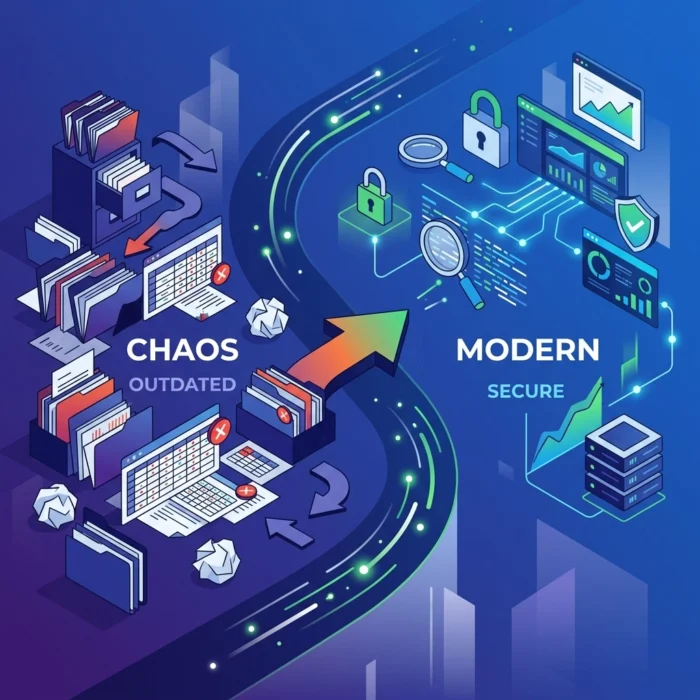
Let’s be honest: audit season usually feels like a root canal for IT and security teams. You spend weeks hunting down evidence, cross-referencing messy spreadsheets, and praying that the data you’re showing the auditors is actually accurate. If your current "strategy" involves a dozen different tabs in Excel and a mountain of manual screenshots, you aren’t just working hard: you’re working in a way that’s increasingly dangerous for your organization.
At OrbisID, we’ve seen how manual processes create a false sense of security. In today's landscape, a static spreadsheet is outdated the second you hit "Save." To stay ahead of threats and keep your sanity, you need a modernized approach. This guide is your roadmap to ditching the manual grind and embracing a more efficient, automated way of proving compliance.
The Spreadsheet Trap: Why Manual Audits Fail
For years, the spreadsheet was the king of the audit. It was easy to set up and everyone knew how to use it. But as environments have moved to the cloud and hybrid models, the spreadsheet has become a liability.
1. The Human Error Factor
When humans manually enter data, mistakes happen. A typo here or a missed account there might seem small, but to an auditor, it’s a red flag. Worse, if you’re manually tracking privileged access, you’re almost guaranteed to miss "shadow" accounts that were created for a quick fix and never deleted.
2. Lack of Real-Time Visibility
Manual audits are "point-in-time." They tell you what was happening last Tuesday at 2:00 PM. But what happened on Wednesday? In a modern cybersecurity environment, attackers move in minutes, not months. Waiting for the next quarterly audit to find an unauthorized account is a recipe for disaster.
3. Scaling is Impossible
As your company grows, so does your list of privileged accounts. Trying to manage thousands of identities across multiple platforms using manual tools is like trying to empty the ocean with a spoon. You eventually run out of time, and things start slipping through the cracks.

Enter the Automated Privileged Access Audit
The solution isn't to work faster; it’s to work smarter. An automated privileged access audit replaces the manual hunt-and-peck method with continuous discovery and reporting. Instead of spending 40 hours preparing for an audit, you spend five minutes generating a report that is 100% accurate.
Defining Modernization
Modernizing your audit means moving from a reactive stance to a proactive one. We define this shift by three core pillars:
- Continuous Discovery: Your tools should always be looking for new accounts.
- Automated Evidence Gathering: Logs and session records should be tied directly to identity without manual intervention.
- Real-Time Governance: Access is reviewed and certified as it changes, not months later.
By implementing these pillars, you effectively eliminate the "scramble" that usually precedes an audit.
Tackling the Hidden Threat: Shadow Privilege Security
One of the biggest benefits of moving away from spreadsheets is the ability to handle shadow privilege security. Shadow privileges are those sneaky, undocumented, or orphaned accounts that exist outside your primary PAM (Privileged Access Management) tools.
Think of it like this: your PAM tool is the front door, but shadow privileges are the unlocked windows in the basement. Manual audits almost always miss these because you only audit what you know exists.

A modernized audit system uses reconciliation dashboards (like the one shown above) to compare what your identity provider says you have against what is actually sitting on your servers. When a discrepancy is found, it’s flagged immediately. This is how you close the gap between your perceived security and your actual security.
The Five Objectives of a Modernized Audit
To successfully move away from spreadsheets, we recommend focusing on these five key objectives. If your audit process hits these marks, you’re in a great spot.
1. Identify Every Single Account
This includes human users, but more importantly, it includes Non-Human Identities (NHIs). Service accounts, automation scripts, and AI agents often have higher privileges than your CEO, yet they are rarely audited properly.
2. Enforce Least Privilege
Modern audits shouldn't just list who has access; they should prove why they have it. Automated systems can track usage. If an admin hasn't used their "Super User" rights in 90 days, the system should flag them for removal.
3. Verify Approval Workflows
Auditors want to see the "paper trail." Instead of digging through old emails to find out who approved a developer’s access to a production database, a modernized system keeps that trail linked to the account itself. You can find more technical details on setting up these flows in our documentation.
4. Continuous Monitoring and Logging
Instead of static logs, you need tamper-resistant records of every privileged session. If a breach occurs, you need to know exactly what was done, by whom, and when.
5. Compliance Framework Mapping
Whether you’re dealing with SOC 2, HIPAA, or PCI DSS, your audit tool should "speak" the language of the framework. It should automatically map your technical controls to the specific requirements of the auditor.

How to Start the Transition
We know that switching from a manual process to a fully automated one can feel overwhelming. You don't have to do it all in one day. Here is a simple phased approach we recommend:
Phase 1: The Gap Analysis
Start by figuring out where you are. Use an automated tool to scan your environment and compare it to your existing spreadsheets. You will likely be shocked at how many accounts aren't on your list. This is your "PAM Gap."
Phase 2: Centralize Governance
Bring your disparate tools under one roof. Even if you use different vendors for different tasks, you need a central dashboard that provides a "single source of truth." This allows you to see your compliance posture at a glance.

Phase 3: Automate the Certification
Once you have visibility, automate the review process. Instead of sending out a mass email once a year asking managers to check access, set up monthly automated certification campaigns. Managers click "Approve" or "Revoke" in a portal, and the evidence is recorded instantly.
The ROI of Modernizing Your Audit
Why put in the effort to change? Because the return on investment is massive.
- Time Savings: Organizations that move to an automated privileged access audit typically see a 60-80% reduction in audit preparation time.
- Risk Reduction: By identifying shadow privileges early, you prevent the most common pathways for ransomware.
- Cost Efficiency: You can stop paying for unused licenses and reduce the overhead of manual IT tasks.

Final Thoughts: The Future is Automated
The era of the spreadsheet is over. As cybersecurity threats become more sophisticated and regulatory requirements more stringent, manual processes simply cannot keep up. Modernizing your privileged audit isn't just about making your life easier: it's about making your organization more resilient.
We are here to help you make that transition as smooth as possible. By focusing on visibility, automation, and continuous governance, you can turn your audit from a nightmare into a non-event.
If you’re ready to see how automation can transform your security posture, we invite you to download our latest tools or visit the OrbisID homepage to learn more about how we tackle shadow privilege security.
Stop fighting with your spreadsheets and start securing your future. We’ve got your back.