
Hey there, I’m Craig Parkin, the Founder of OrbisID. If you’ve spent any time in the trenches of IT infrastructure, you know that Active Directory (AD) is essentially the nervous system of your organization. It’s what connects users to resources, manages identities, and: if we’re being honest: is often the biggest mess in the entire building.
We’ve all seen it: a forest that’s been growing for fifteen years, filled with "temporary" service accounts that became permanent, users who left the company in 2018 but still have active logins, and security groups with names like "Test_Group_Don't_Delete."
Poor AD hygiene isn't just an organizational headache; it’s a massive security liability. In the world of privileged access management, a cluttered AD is a playground for attackers. If you don't know what’s in your directory, you can't protect it.
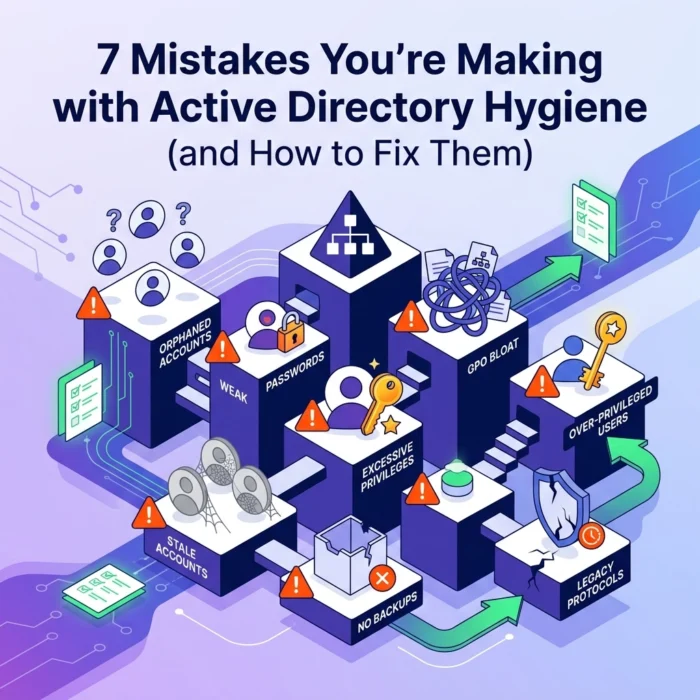
Here are the 7 biggest mistakes we see people making with Active Directory hygiene and, more importantly, how you can fix them before they lead to a full-blown crisis.
1. Using Admin Accounts for Everyday Tasks
This is arguably the "Cardinal Sin" of AD management. We still see it all the time: IT staff logging into their workstations with Domain Admin accounts to check email, browse the web, or join a Zoom call.
The Mistake:
When you use a privileged account for daily activities, you’re providing a golden opportunity for attackers. If that account is compromised via a spear-phishing link or a drive-by download, the attacker doesn't just get a foot in the door: they get the keys to the entire kingdom. They can move laterally through your network with ease because the session they hijacked already has the highest level of permissions.
The Fix:
Implement strict account separation. Every IT professional should have at least two accounts:
- A Standard Account: Used for email, office productivity, and general web browsing.
- A Privileged Account: Used strictly for administrative tasks.
We recommend using a naming convention for these, such as c.parkin.adm. These accounts should never have a mailbox attached to them. For an even more robust approach, look into privileged access management solutions that can rotate these credentials or provide "just-in-time" access.
2. The "Domain Admins" Dumping Ground
In a perfect world, the Domain Admins group would have two or three people in it. In reality, we often see dozens.
The Mistake:
When someone needs to perform a specific task: like resetting a password or joining a computer to the domain: the "easy" button is often just to add them to the Domain Admins group. Over time, this leads to "privilege creep." People move roles or leave projects, but their elevated access remains. This violates the principle of least privilege (PoLP) and turns a small security risk into a systemic one.
The Fix:
Stop using the Domain Admins group as a catch-all. Instead, use the AD Delegation of Control wizard. You can delegate specific tasks (like managing a specific Organizational Unit) to specific users or groups without giving them full domain control.
At OrbisID, we focus heavily on privileged access discovery. You need to run regular scans to see exactly who is in your sensitive groups. If you haven't checked your Domain Admins list in the last 30 days, go do it now. You’ll probably be surprised by what you find.

3. Ignoring Dormant and Inactive Accounts
This is the bread and butter of poor hygiene. Inactive accounts are like unlocked back doors in a house you forgot you owned.
The Mistake:
When employees leave or contractors finish a project, the HR-to-IT communication pipeline often breaks down. The account stays active, the password remains the same, and eventually, it becomes a "ghost" account. Attackers love these because they can be compromised without the "real" user ever noticing strange activity.
The Fix:
You need a clinical approach to account lifecycles. We recommend the following:
- The 30-60-90 Rule: Disable accounts that haven't logged in for 30 days. After 60 days, move them to a "To Be Deleted" OU. After 90 days, delete them entirely.
- Automated Cleanup: Don't rely on a human remembering to check for stale accounts. Use PowerShell scripts or specialized tools to identify accounts where the
lastLogonTimestampis older than your threshold.
Maintaining a clean environment is much easier when you have visibility. You can check our documentation for more insights on how to structure these discovery processes effectively.
4. Weak or Non-Existent Password Policies
We’ve all heard the advice: "Use long passwords." Yet, many AD environments are still running on default policies from 2008.
The Mistake:
Relying on a 7-character password policy or, worse, setting "Password Never Expires" for standard user accounts. Even worse is storing reversible passwords in Group Policy Objects (GPOs), which is a massive security hole. If your password policy is weak, an attacker can brute-force or use credential stuffing to gain access in minutes.
The Fix:
Modernize your Fine-Grained Password Policies (FGPP).
- Length over Complexity: A 15-character phrase is significantly harder to crack than an 8-character "complex" password like
P@ssw0rd1. - MFA is Non-Negotiable: Multi-factor authentication should be applied to every single entry point, especially for administrative access.
- Service Account Management: For accounts that truly cannot have expiring passwords (like some legacy service accounts), ensure they have extremely long, randomly generated passwords and are restricted to specific machines.
5. Failing to Audit and Monitor Changes
If a tree falls in the forest and no one is there to hear it, does it make a sound? If a new user is added to your Enterprise Admins group at 2:00 AM on a Sunday, will you know?
The Mistake:
Many organizations have logging enabled but no one is actually monitoring those logs. Or, even worse, the logs are overwritten so quickly that by the time you realize something is wrong, the evidence is gone. Without auditing, you are flying blind.
The Fix:
You need to enable advanced security auditing policies in AD. Specifically, you should be tracking:
- Account logon events (especially failures).
- Changes to security-enabled groups.
- Changes to GPOs.
- Modifications to the
AdminSDHolderobject.
Don't just collect logs; alert on them. If someone touches a sensitive group, your team should get a notification immediately. This is a core component of maintaining a healthy privileged access management posture.

6. Poor Backup and Disaster Recovery Plans
Hygiene isn't just about cleaning; it’s about being able to recover when things go sideways.
The Mistake:
Assuming that because you have a "system backup," your Active Directory is safe. AD is a complex database. If a domain controller gets corrupted or a malicious actor deletes an entire OU, a standard file-level backup might not help you as much as you think.
The Fix:
- Enable the AD Recycle Bin: This is a simple, high-impact fix. It allows you to recover deleted objects without needing to perform a full authoritative restore.
- Test Your Restores: A backup is only as good as your last successful restore. Perform a "Forest Recovery" drill at least once a year.
- System State Backups: Ensure you are taking regular System State backups of your Domain Controllers and storing them securely (and offline).
7. Leaving the Default Administrator Account Vulnerable
The built-in "Administrator" account (SID-500) is a massive target. Every attacker knows it exists, and many automated scripts specifically target it.
The Mistake:
Leaving the account enabled, using a common name like "Admin," or: worst of all: using a simple password for it. Because this account cannot be locked out by default (in older versions of Windows), it is the perfect target for brute-force attacks.
The Fix:
We recommend a "defense in depth" approach for this specific account:
- Rename it: Change it to something non-obvious (but keep a record of what it is).
- Disable it: Use a different, named account for your administrative work.
- Set a "Killer" Password: Give it a 30+ character random password, print it out, put it in a physical safe, and then "forget" it.
- Monitor it: Set an alert for any login attempt on the built-in Administrator account. Since it’s disabled and nobody should be using it, any activity here is a 100% guaranteed red flag.
Bringing it All Together
Active Directory hygiene isn't a one-time project; it’s a continuous process. It's about shifting your mindset from "setting it and forgetting it" to active, daily management.
At OrbisID, we believe that the first step to security is visibility. You can't fix what you can't see. That’s why we focus on privileged access discovery: helping you find those dormant accounts, over-privileged users, and hidden risks before they become headlines.
If you're ready to take a clinical look at your AD environment and start cleaning up the mess, we’re here to help. You can visit our homepage to learn more about how we approach these challenges, or if you're ready to see the data for yourself, you can download our tools to get started.

Clean up your forest. The peace of mind is worth the effort.
Craig Parkin
Founder, OrbisID